evil crawling things Controls & Input Guide
Move quietly, open Shop fast, and keep camera discipline when crawlers break the fog.
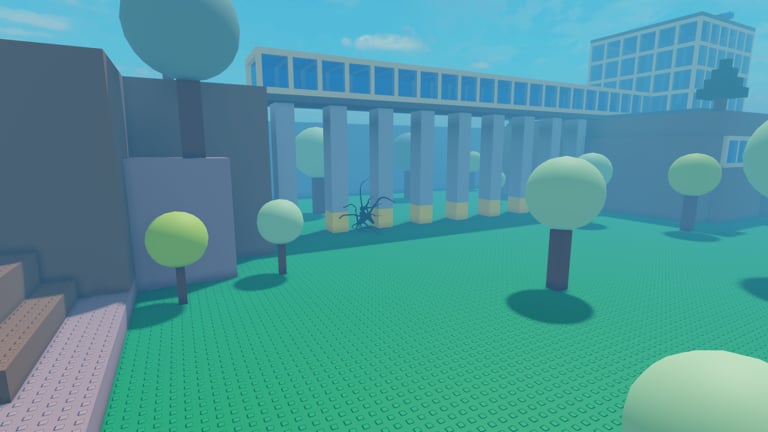
evil crawling things uses standard Roblox movement with a horror-survival loop on top: hide, watch the timer, open Shop for guns and codes, then fight when stealth fails. This controls guide covers PC keyboard/mouse, touch, and controller habits that keep you alive on the Forest map. Pair it with How to Hide, How to Survive, How to Redeem Codes, and Getting Started.
Core loop inputs you use every round
Regardless of device, you repeatedly:
- Move and strafe between cover props.
- Look / aim to track crawler silhouettes in fog.
- Sprint only when breaking contact is worth the noise and visibility.
- Open Shop on the left HUD to buy gear or redeem codes.
- Fire / use weapons and explosives when a fight is forced.
- Watch the timer and Coin balance so panic buys do not wreck the next round.
Winning is surviving the timer—not racking eliminations. Inputs that keep you calm beat inputs that look flashy.
PC (keyboard and mouse)
Typical Roblox PC bindings apply unless you remapped them in Roblox settings:
| Action | Common binding |
|---|---|
| Move | WASD |
| Jump | Space |
| Camera / aim | Mouse |
| Sprint | Shift (if enabled for the experience) |
| Primary action / fire | Left mouse |
| Zoom / third-person adjust | Mouse wheel (Roblox camera) |
| Roblox escape menu | Esc |
Shop / Codes are on-screen UI buttons on the left, not a single universal key. Click Shop, then Codes, to redeem FOG and other promos. Full steps: How to Redeem Codes.
PC tips for Forest fog:
- Lower mouse sensitivity slightly so fog peeks do not whip into open clearings.
- Keep fingers ready to stop on WASD when a crawler scans nearby — stillness is a control.
- Click Shop between rounds or in safe pockets; do not open menus while a crawler has line of sight.
- Use headphones so audio cues arrive before you need a panic 180° mouse flick.
Remap keys in Roblox Settings → Keyboard & Mouse if you need accessibility changes. This wiki cannot override your client binds.
Mobile (touch)
On phones and tablets:
- Left thumb stick / dynamic thumb area moves your avatar.
- Right drag looks and aims.
- On-screen jump and action buttons handle vaults and firing when you have a weapon.
- Tap the Shop control on the left edge to open purchases and Codes.
Mobile-specific survival habits:
- Increase UI scale in Roblox settings if Shop taps miss.
- Play in landscape for wider fog reads.
- Avoid “panic spin” camera swipes that reveal you on a ridge.
- Redeem codes in the lobby or after a clean hide, not mid-chase.
Touch aim is harder in fog. Prefer shotguns and explosives from the Tier List so imperfect tracking still deletes close threats. Loadout ideas: Best Loadouts.
Controller / gamepad
If you use a controller through Roblox:
- Left stick moves; right stick looks.
- Face buttons handle jump and contextual actions per Roblox defaults.
- Triggers usually fire or aim-down depending on experience setup.
- Open Shop with the on-screen cursor or highlight driven by the controller pointer — practice once in a quiet lobby before ranked-feeling sessions with friends.
Controller players should pre-learn the Shop → Codes path so FOG redeems do not eat half a round. Then park near cover before browsing weapons.
HUD elements that act like “controls”
Treat these UI pieces as part of your input literacy:
- Survival timer — glance every relocation; boring living beats stylish dying.
- Coin balance — know it before opening Shop so FOG spending is intentional.
- Shop (left) — gear + Codes; see Codes.
- Weapon readouts — reload and switch before you peek, not after you are spotted.
Sensitivity and camera discipline
Fog punishes wide camera swings. Recommended habits:
- Sweep in short arcs when listening for crawlers.
- Stop the camera when you stop moving during a close scan.
- Pre-aim common Forest chokes only when you already decided to fight.
- After shooting, break line of sight before you reload — movement keys matter as much as the fire button.
Map geometry that rewards disciplined camera work is covered in Forest Map. Patch changes that alter fog density show up on Updates.
Accessibility and comfort
- Enable shift-lock or camera modes you prefer in Roblox settings if they help tracking.
- Reduce motion effects system-wide if fog plus camera sway causes discomfort.
- Use larger UI / higher contrast where Roblox allows so Shop and Codes remain tappable under stress.
- Take breaks; short horror rounds stack adrenaline quickly.
Practice drill (one session)
- Redeem codes via Shop → Codes (guide).
- Spend on a fog-friendly loadout (Best Loadouts).
- Play three rounds where you never open Shop mid-chase.
- Play three rounds focused on stopping WASD/stick when scanned.
- Review deaths: input panic, bad camera, or late Shop browsing?
Related pages
- Getting Started — first-round checklist
- How to Redeem Codes — Shop → Codes path
- How to Hide — stillness and LOS
- How to Survive — timer decisions
- Weapons and Gear — what your fire button is spending
- Guides Hub — full index
Good controls are quiet controls. Move with intent, aim with short arcs, open Shop only when safe, and let the timer pay you for discipline.
Frequently Asked Questions
Quick answers for evil crawling things survivors.
What key opens the codes menu?
There is no single universal key. Click Shop on the left side of the HUD, then open the Codes tab to redeem FOG and other promos.
Do PC and mobile use different Shop locations?
Both use the left-side Shop control. Mobile players may need landscape mode and careful taps if UI scale is small.
Should I sprint everywhere?
No. Sprint to break contact or rotate between cover. Constant sprinting in fog advertises motion to crawlers.
Can I remap controls?
Yes, through Roblox client settings for keyboard, mouse, touch, and controller. The experience still expects Shop interactions through the on-screen UI.
What input mistake kills beginners most?
Panic camera spins and moving while a crawler is already scanning. Stop, break line of sight, then relocate with short inputs.